A bigger budget, an unclear allocation
Leadership wants growth, but which existing campaigns should receive the additional funding?
Compare allocations
Campaign Budget Optimizer platform
See which existing campaigns may merit more funding, compare how to allocate your budget, and plan when to invest. CBO explains the evidence and tradeoffs before you approve a change.
The investment question
A performance report tells you what happened. Deciding where to increase funding takes another step: compare campaign evidence, weigh coverage against concentration, and turn the choice into daily budgets. CBO helps you build that plan.
Inside the planning workflow
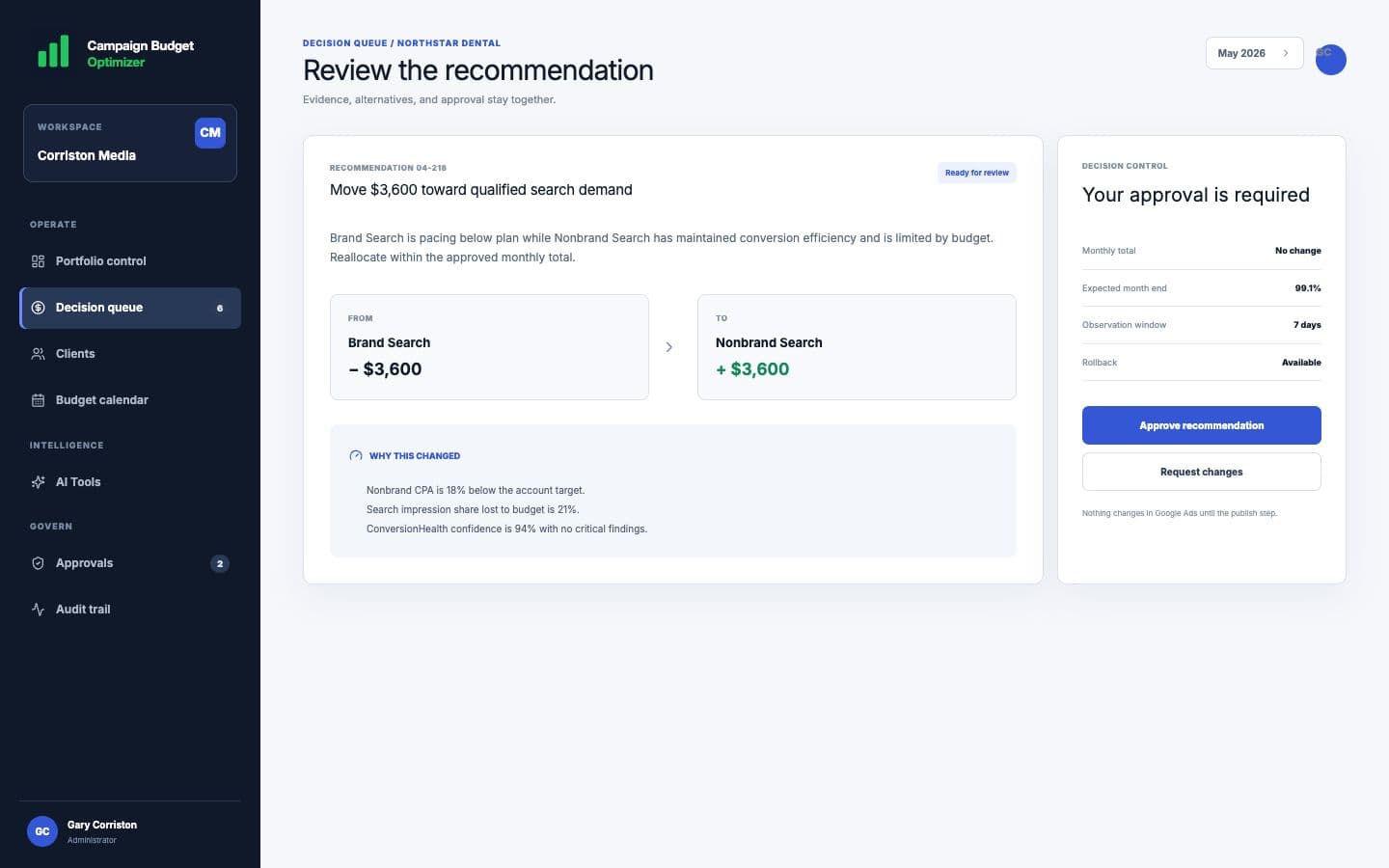
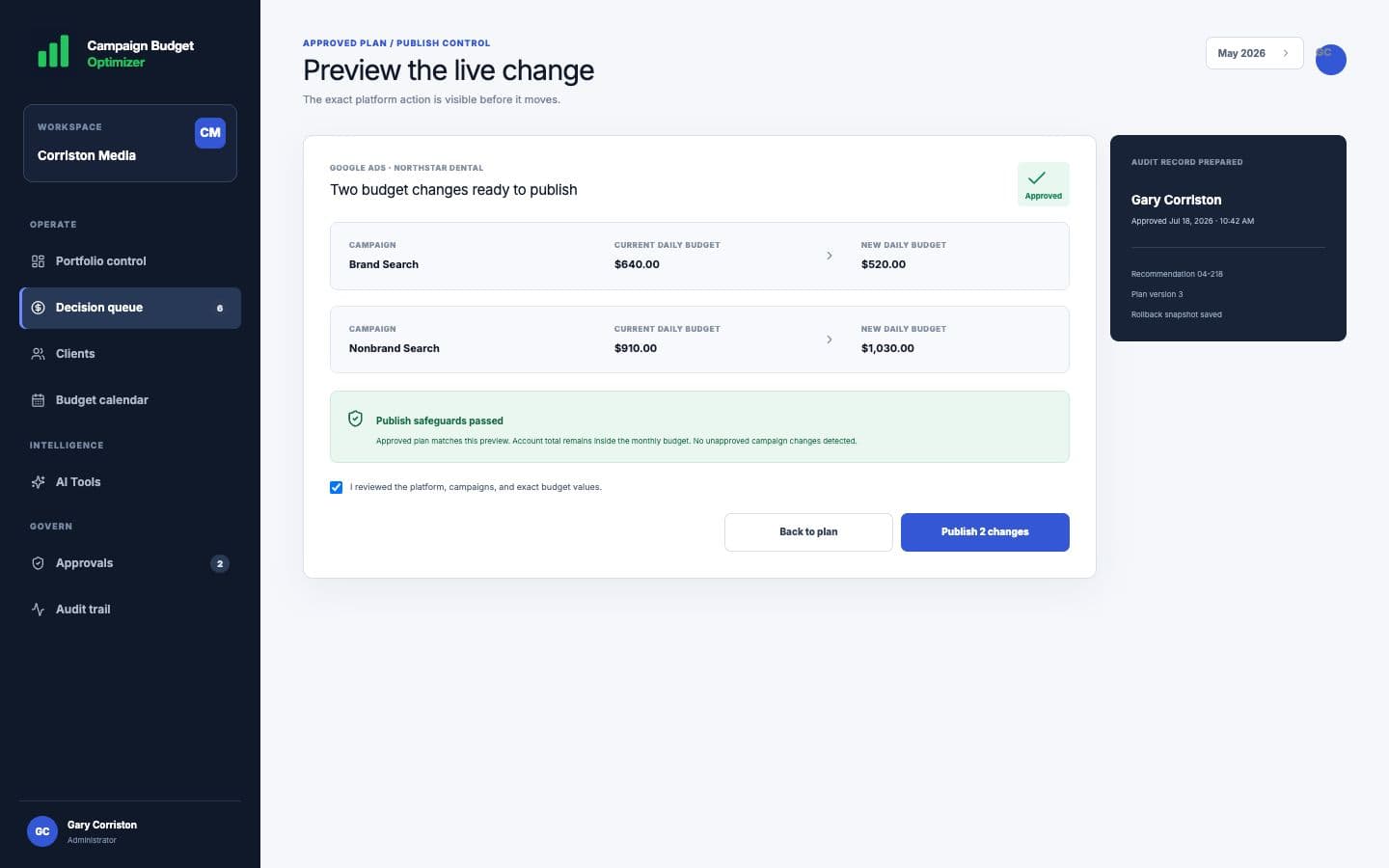
Demo-safe product views show how CBO keeps the budget position, recommendation evidence, approval, and exact publish action in one traceable workflow.
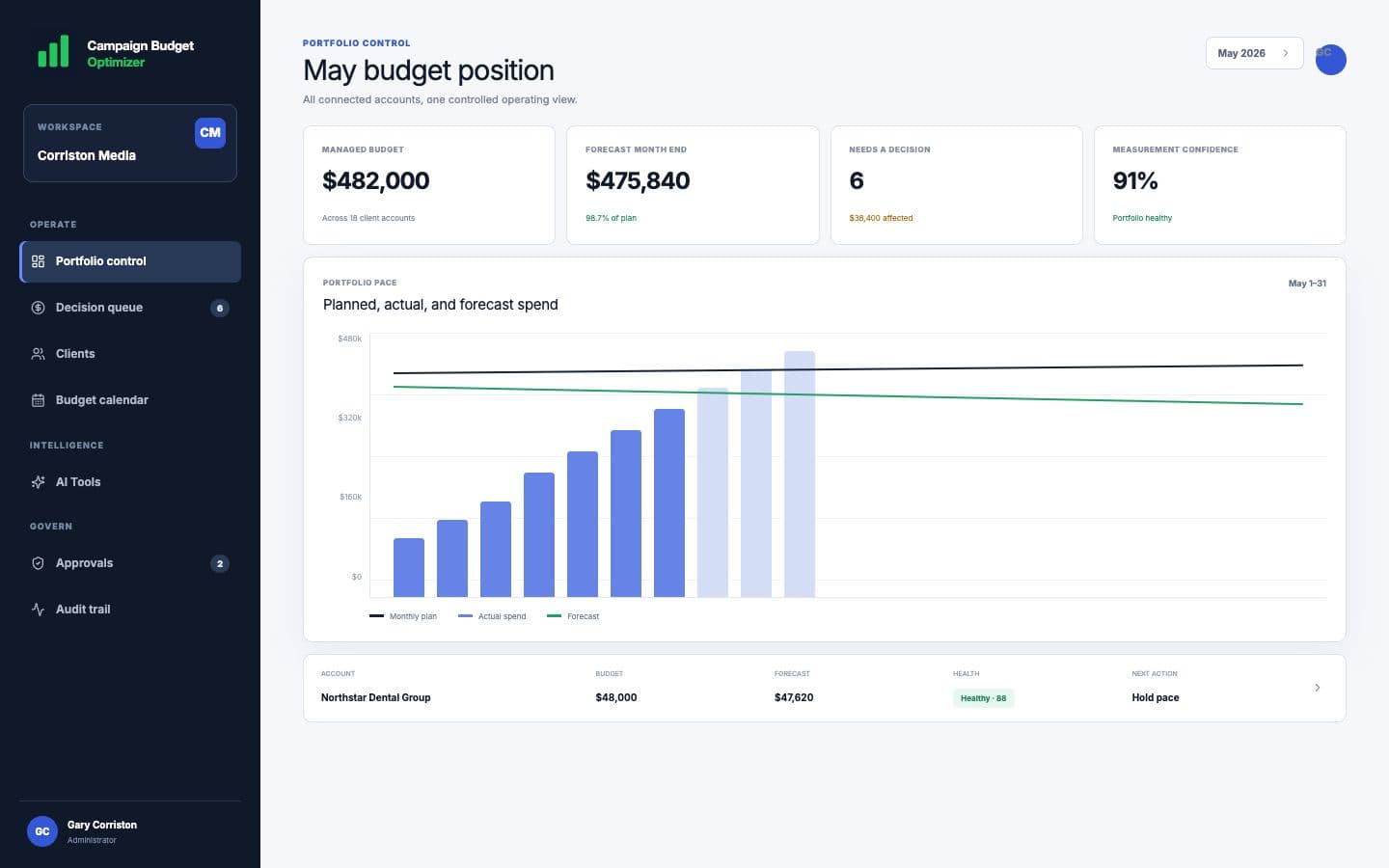
Planned, actual, and forecast spend stay visible beside the accounts that need a decision.
Three problems, one workflow
CBO is designed for the daily operating questions that reporting dashboards leave unresolved.
Leadership wants growth, but which existing campaigns should receive the additional funding?
Compare allocationsReported conversions may not be reliable enough to justify the next increase.
Check the evidenceA campaign looks promising, but the team still needs to agree on the amount, timing, and approval.
Plan and approveYour investment toolkit
Use campaign recommendations and health evidence to build a plan against the budget objective you choose.
Compare current pace, planned spend, and projected month-end against the investment objective you set.
Review multiple strategies, projected impact, assumptions, and confidence—not a black-box score.
Saving, approving, and publishing remain separate actions with clear ownership.
Save approved strategies to the budget calendar and compare planned versus actual spend.
Preserve the evidence, recommendation, edits, owner, approval, and final action.
Review performance and pacing across client accounts, then open the account that needs a closer look.
Controlled workflow
Every stage has a distinct purpose and status. No recommendation can quietly become a live platform change.
Authorize the ad accounts and choose the exact client context.
Inspect pacing, forecast, tracking confidence, and the evidence behind the alert.
Evaluate strategies and save the chosen plan to the calendar.
Record the human decision; publish separately when the plan is ready.